
Quick Setup Steps
- Log in to your myKaarma dealership application.
- Click the “MKSTORE” button located in the top-right corner of the screen (as shown below).
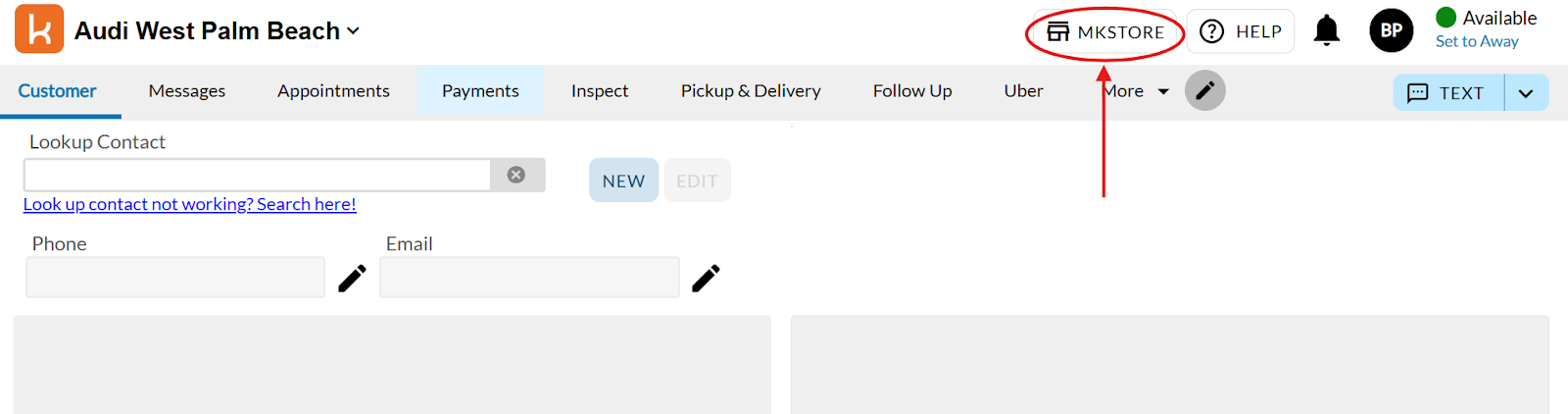
- Enter Toma in the Lookup Contact field.
This will give us access to proceed with the integration.
Next Steps
You’re all set! You can always with your Toma implementation team to:
- Configure your unique service drive requirements
- Set up your phone lines
- Start taking appointments immediately
That's it - you're ready to transform your service booking operations.
Have questions? Email us at support@toma.com.